On Apple Reminders
Lately I found myself using Reminders app a little bit more than usual. And guess what, I already talked about Reminders app in the past. Pending some minor cosmetic changes, look’n feel is the same overall, they just made it more convenient to add tags and an URL distinct from the body. That being said there’s no import (nor export) facilities except with 3rd party tools. Exporting would be great since it is quite easy to delete all completed items by mistake, with no option for recovery. Importing would also be handy since it would allow me to bulk add all my previous bookmarks that I saved as plain text. I know how to add simple item using AppleScript or Automator,1 but I want to import very big list of annotated bookmarks. Let’s speak about those 3rd party application since I was looking for an easy way to import a bunch of URLs.
reminders-cli: A simple CLI for interacting with OS X reminders. It’s probably the older project I found on GitHub. At least, it’s not AI bloat. However it only provides basic functionalities and it doesn’t seem to handle to handle tag or web links.
remindctl: cli for Apple Reminders app. It looks like it offers everything I need, including search and smart filters. However, the author notes that “remindctl intentionally sticks to public EventKit APIs. These Reminders.app features are not exposed through EventKit today”, which includes “native Reminders tags and smart lists”. Too bad.
rem: Apple Reminders, from the terminal. Now this starts to be interesting and we are dealing with agent-oriented CLI tools. Besides natural dates, this software offers import and export facility (JSON export is for agentic coding, but CSV import is interesting). The most interesting part is that tags found “in the title are automatically parsed and stored as native Reminders.app tags. You can also pass tags via the –tags flag.” Unlike the preceding software, this app relies on the private ReminderKit API. URLs are passed using the
-u(or--url) flag. Perfect fit.RemCTL: The Power-User Reminders CLI for macOS and AI Agents. This looks really promising, but I don’t think I will ever need all this extra stuff for AI agents, right? Full disk access, seriously?
remind: Apple Reminders for terminal natives. It doesn’t include URL or tags so it doesn’t fit my requirements unfortunately.
remi: The missing CLI for Apple Reminders - with section support and iCloud sync. It looks interesting as it allows to manage subsection, natural language and fuzzy searches. It is not clear whether it support EventKit, though.
I decided to go with rem which fulfills the essential needs mentioned in
the introduction. I choose to install it with go install instead of Homebrew.
It doesn’t ask to grant access to the full HD, only Reminders data, which is
okay for me. Default output is a colored ASCII table but it can be plain text.
It offers Bash nd Zsh completions; this is a feature (although I changed the
default target to my own site-functions directory:
aliquote master*?
» rem ⇥
-- completions --
add          -- Create a new reminder
complete     -- Mark one or more reminders as complete
completion   -- Generate the autocompletion script for the specified shell
delete       -- Delete one or more reminders
export       -- Export reminders to JSON or CSV
flag         -- Flag one or more reminders
help         -- Help about any command
import       -- Import reminders from JSON or CSV file
interactive  -- Interactive reminder management
list         -- List reminders
list-mgmt    -- Manage reminder lists (create, rename, delete)
lists        -- List all reminder lists
overdue      -- Show overdue reminders
search       -- Search reminders by title and notes
show         -- Show details of a specific reminder
skills       -- Manage AI agent skills for rem
stats        -- Show reminder statistics
today        -- Show today's and overdue reminders
uncomplete   -- Mark one or more reminders as incomplete
unflag       -- Remove flag from one or more reminders
upcoming     -- Show upcoming reminders
update       -- Update an existing reminder
version      -- Print the version
Although I threw away a lot of my items in 2018, it’s always good to be able to take a look at what’s left:
aliquote master*?
» rem lists --count
┌───────────────┬───────────┐
│ NAME          │ REMINDERS │
├───────────────┼───────────┤
│ Read it later │ 171       │
│ TODO          │ 313       │
└───────────────┴───────────┘
There’s an interactive menu which will look familiar to Fzf users. If you’re
stuck in a submenu, Ctrl-C is your friend. It understands named day of week as
well as ISO 8601 dates. Last but not least, it is capable of firing location
alarm on arrival and/or departure with a geofence trigger in "lat,lng" format.
All items can be edited afterwards, and marking an item as completed can be
undone easily.
aliquote master*?
» rem list -l "Read it later" --incomplete
┌──────────┬─────────────────────────┬───────────────┬─────┬──────────┬────────┐
│ ID       │ NAME                    │ LIST          │ DUE │ PRIORITY │ STATUS │
├──────────┼─────────────────────────┼───────────────┼─────┼──────────┼────────┤
│ 3E10720A │ Managing Python         │ Read it later │     │ none     │ -      │
│          │ Projects With           │               │     │          │        │
│          │ uv: An All-in-One       │               │     │          │        │
│          │ Solution – Real         │               │     │          │        │
│          │ Python                  │               │     │          │        │
│ EDC082CE │ Konfekt/vim-formatprgs: │ Read it later │     │ none     │ -      │
│          │ set up formatprg        │               │     │          │        │
│          │ sensibly for common     │               │     │          │        │
│          │ file types              │               │     │          │        │
│ B1A45388 │ Introduction - Web      │ Read it later │     │ none     │ -      │
│          │ development             │               │     │          │        │
│ 2A90F9C9 │ What's the BBEdit       │ Read it later │     │ none     │ -      │
│          │ "Sales Pitch"?          │               │     │          │        │
│ D3E1592D │ Trying BBEdit           │ Read it later │     │ none     │ -      │
│          │ and Nova —              │               │     │          │        │
│          │ Sympolymathesy, by      │               │     │          │        │
│          │ Chris Krycho            │               │     │          │        │
│ 2931FF15 │ BBEdit 14, and why      │ Read it later │     │ none     │ -      │
│          │ you should care         │               │     │          │        │
│ 3A623B7A │ Advanced macOS          │ Read it later │     │ none     │ -      │
│          │ Commands -              │               │     │          │        │
│          │ saurabhs.org            │               │     │          │        │
│ 5FED5A24 │ Crit-bit trees          │ Read it later │     │ none     │ -      │
└──────────┴─────────────────────────┴───────────────┴─────┴──────────┴────────┘
Regarding import facilities, there’s a dry run mode which is really nice. To get an idea of the CSV header, I just exported the above list of incomplete items:
aliquote master*?
» rem export -l "Read it later" --incomplete --format csv
id,name,body,list_name,due_date,remind_me_date,priority,priority_label,flagged,completed,url,tags
3E10720A-AD81-429C-91A1-6D789E43AFF3,Managing Python Projects With uv: An All-in-One Solution – Real Python,,Read it later,,,0,none,false,false,https://realpython.com/python-uv/,python
-%<--
It was not too difficult to format my list of plain URLs, which was originally in Org format, as desired, thanks to Vim search/replace facilities. This involved replacing Org tag to proper #hashtag, getting correct capture group for title, due date, URL and tag, and deleting few remaining entries that would not fit this format. Here we go:
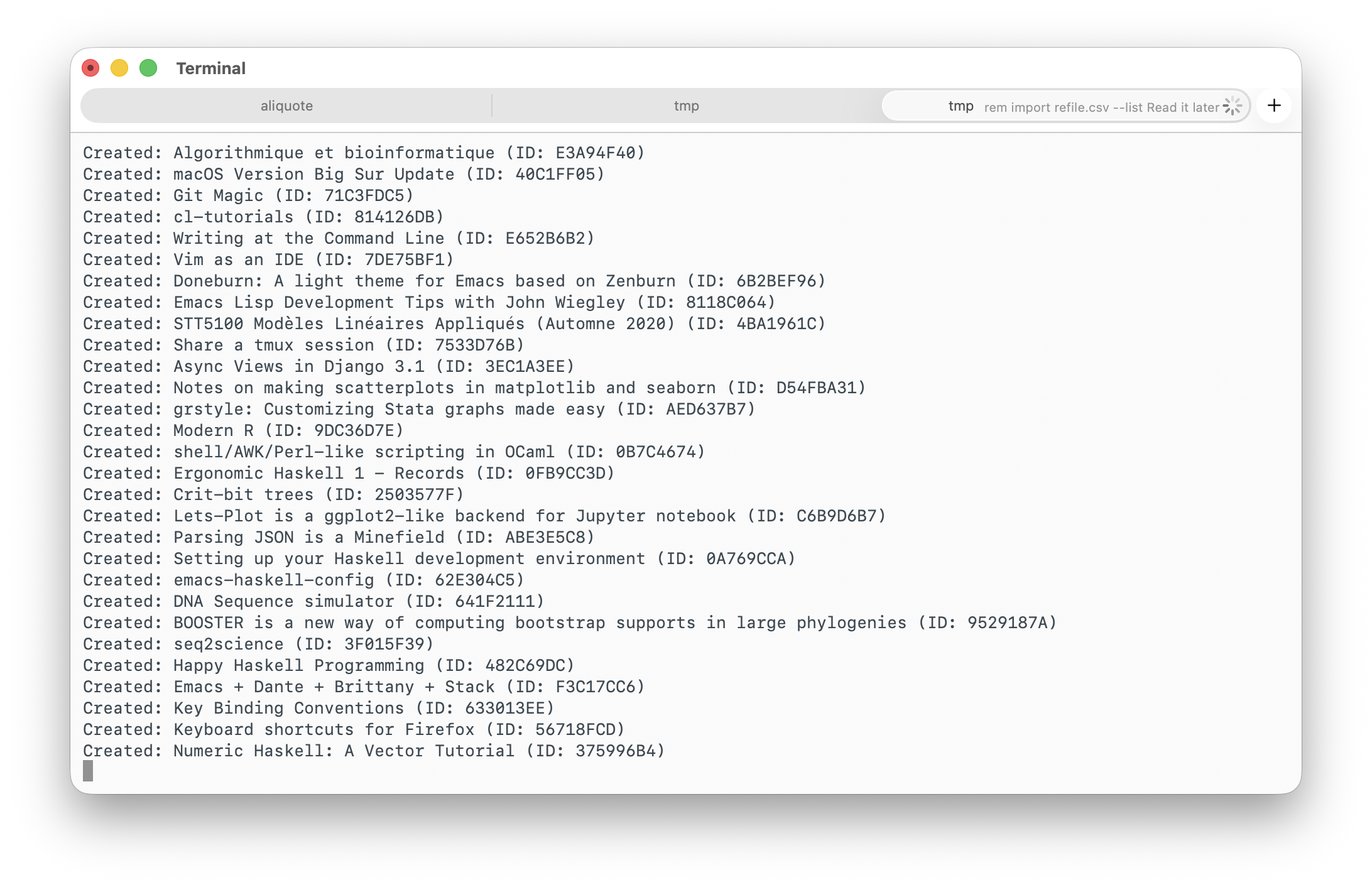
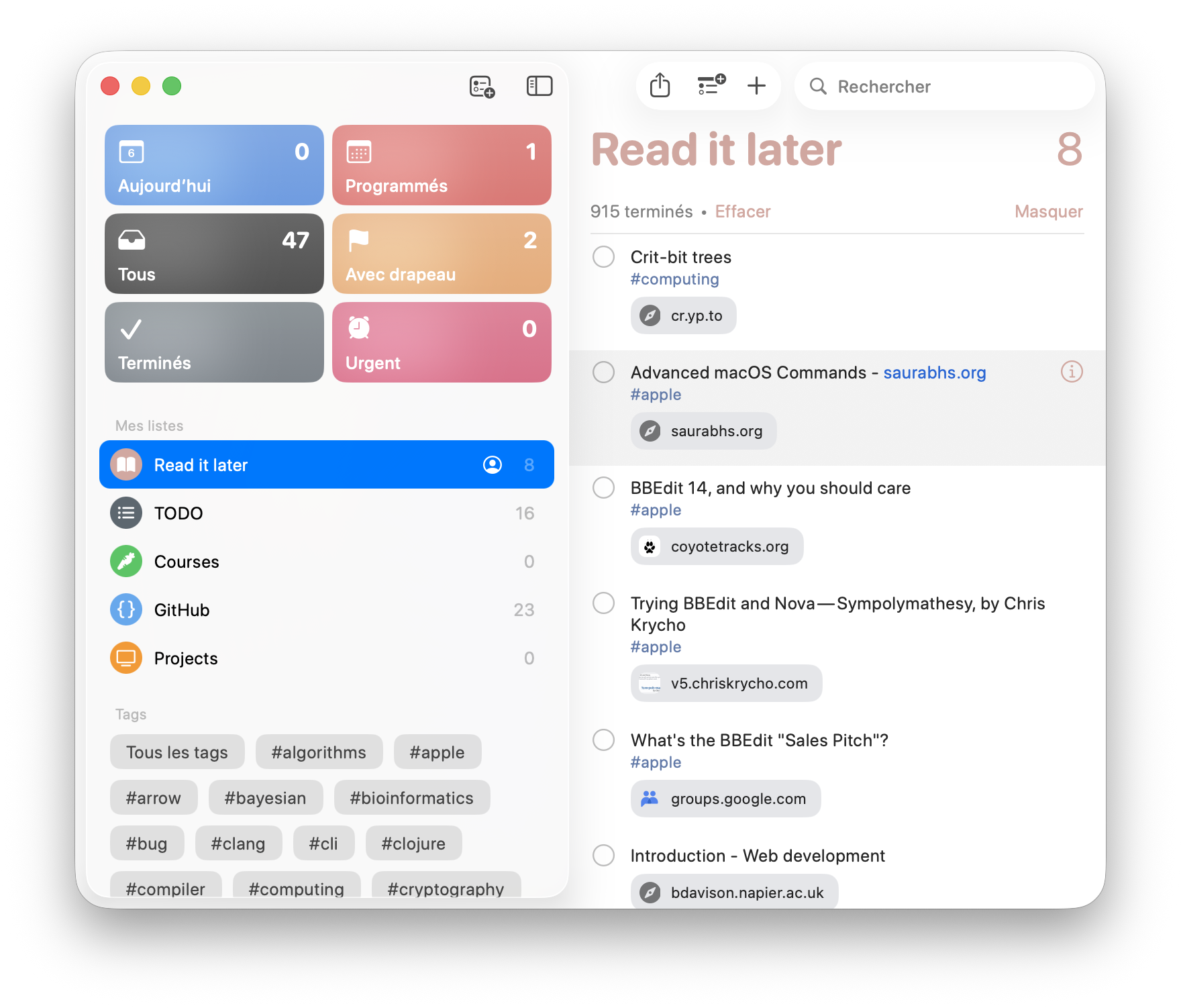
It took 38s. Task done, see below (left).2
I used the GitHub command line utility to extract issues for some repos I maintained or authored, and likewise bulk import the list into Reminders (right).
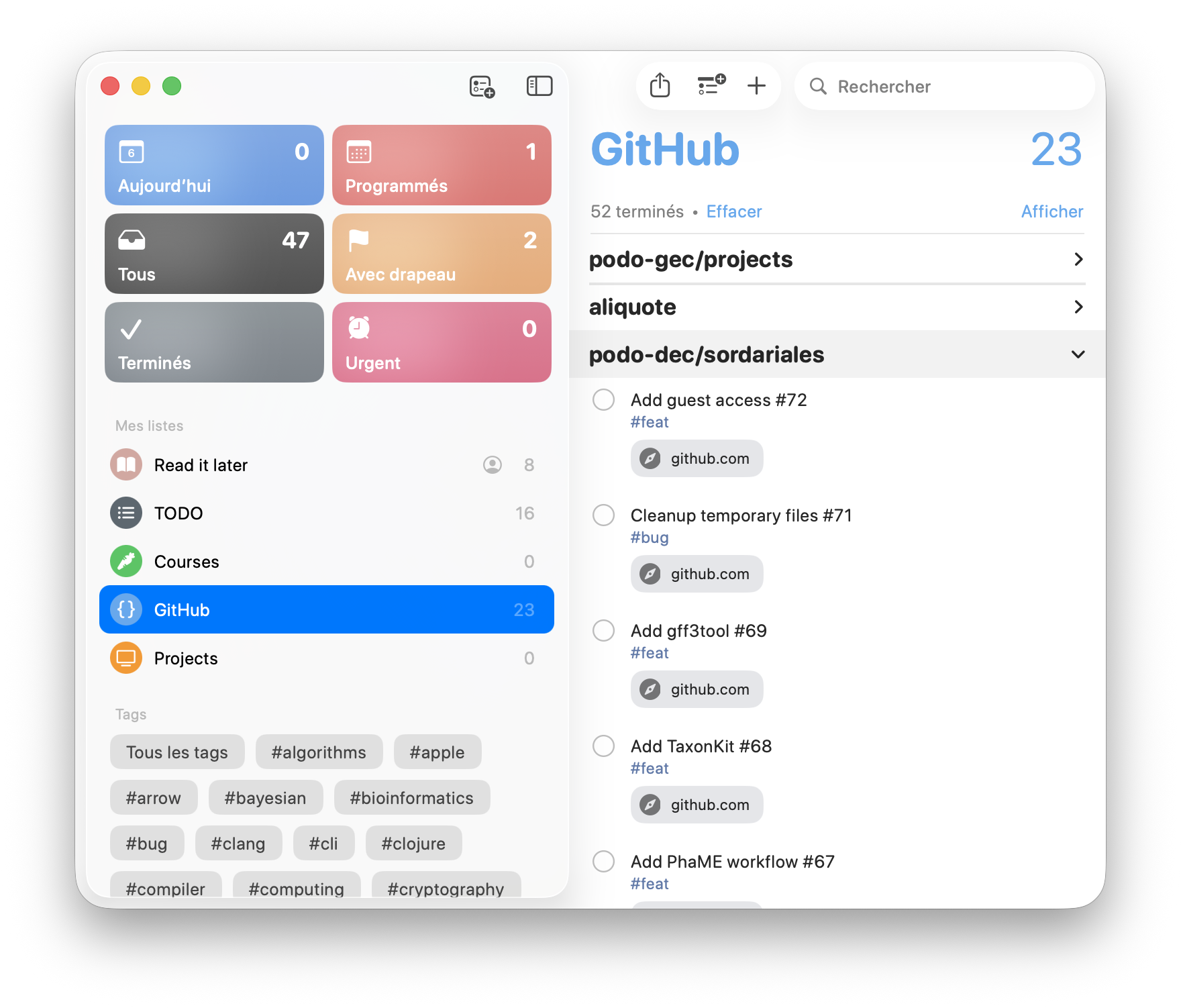
Final stats below:
» rem stats
Reminder Statistics
===================
Total:           1311
Completed:       1264
Incomplete:      47
Flagged:         2
Overdue:         0
Completion Rate: 96.4%
Lists:           5

Per List:
┌───────────────┬───────────┐
│ NAME          │ REMINDERS │
├───────────────┼───────────┤
│ Read it later │ 923       │
│ TODO          │ 313       │
│ Courses       │ 0         │
│ GitHub        │ 75        │
│ Projects      │ 0         │
└───────────────┴───────────┘
I’ll just need to apply the very same process to the Projects list.
Sidenote
While looking for a Reminders cli utility, I came across other projects like apple-git, to control Github via Apple Reminders, and reminders-menubar, which features a menu bar application to view and interact with reminders. And also, obscure stuff on how to Notes and Reminders database are managed internally: Reading Notes database on macOS, Accessing / Exporting Apple’s Reminders Data on macOS.
♪ Within Temptation • Faster (accoustic version)
See also Using AppleScript to create reminders from text lists. ↩︎
I wanted to keep a record of the date I stored all those links, unfortunately we cannot assign a due date and set the complete flag to true so that all items appeared as incomplete. I had to spam click the complete radio button, but that was not a big deal. ↩︎