BibDesk and the zen of BibTeX on macOS
I’ve never been a big fan of BibDesk,1 nor Texshop, TBH. But they’ve always been lying here on my HD since 20 years, and they saved my ass more than one time. For instance, Texshop was able to detect the correct encoding for very old $\TeX$ sources of mine. With BibDesk I was able to quickly add a bunch of keywords thanks to a simple Apple Script. At least, those Mac apps predate the arrival of AI-bloated, although it is now possible to provide LLM-assisted summaries to BibDesk entries.
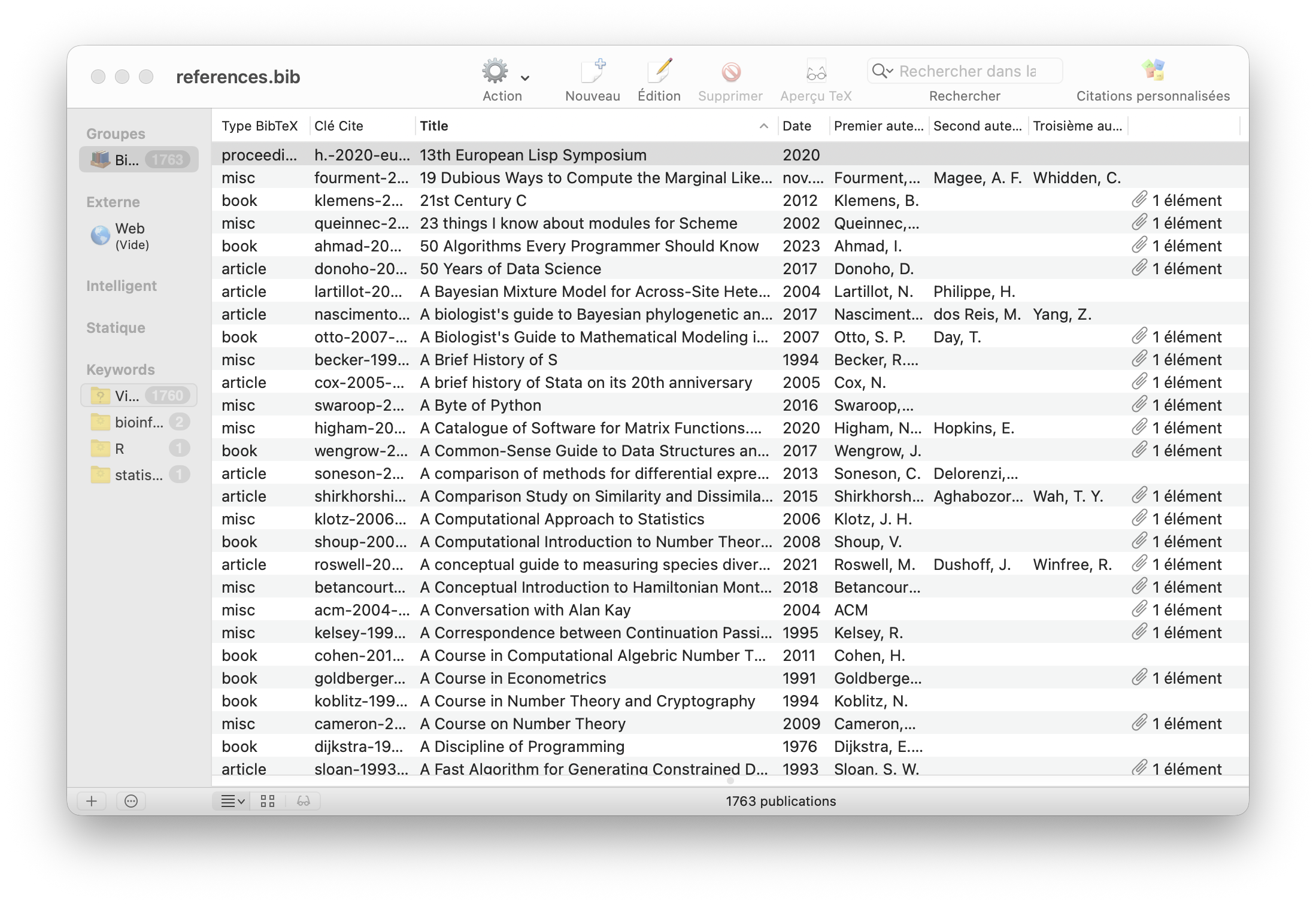
I’ve been managing my BibTeX bibliography all years long using Emacs, then Vim, and finally Neovim. Don’t ask me why I never used other than plain text files, I just simply can’t live with Zotero, Endnote & Co.2 But well, on my MacBook I can simply point BibDesk to my main bibliography file, and it will keep it updated following any edit made via Neovim. This is great, by the way. Up to now I choose to maintain a minimal BibTeX file with as few fields as possible. It should be noted that I wrote most of those entries by hand and I did not use any external importer. I once added DOIs for all entries with a Python script. Now I would like to access my bibliographic entries from any applications, and consolidate what I have so far. I"m mostly interested in adding keywords, address (useful when there’s a publisher field and for all kind of books, and consolidate summary and linked resources. Also I would like to make cross links across BibTeX. Let’s start with making other app aware of all my $\TeX$ stuff.
There’s something magic with macOS, and it has always been as far as I remember: if you select some text in an application, the OS will most of the times have some useful action to offer to you. In the case of BibTeX cite key, it will offer to open it in BibDesk. Here’s an example with a cite key in Notes.app:
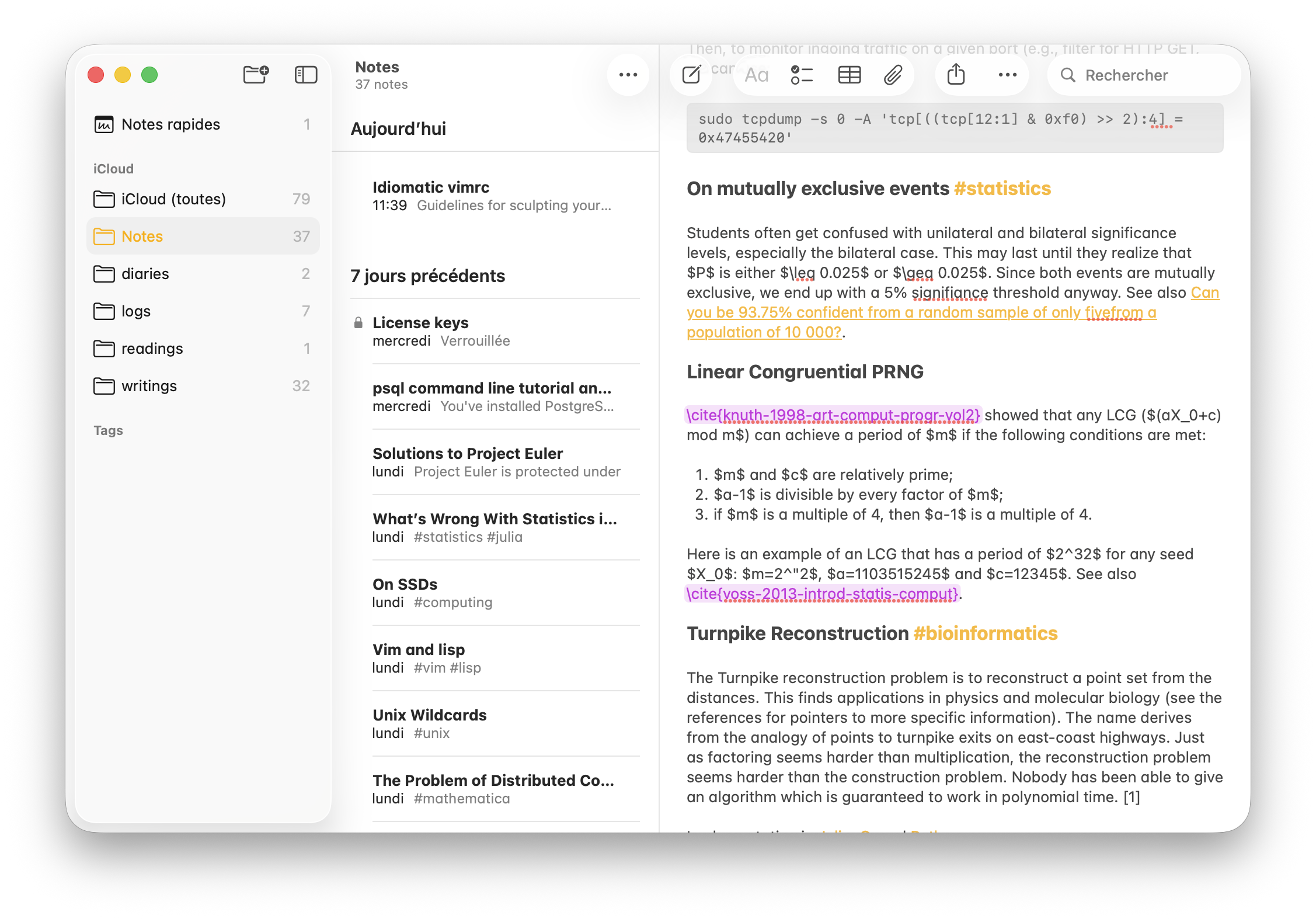
Easy peasy. I can do the same in the terminal with bibtex-ls (see fzf-bibtex
below) and this zsh function, bibfind:
~/.local/lib
» type bibfind
bibfind is /Users/chl/.local/bin/bibfind

~/.local/lib
» cat ~/.local/bin/bibfind
#!/usr/bin/env bash

bibtex-ls /Users/chl/Documents/notes/references.bib |
    fzf --multi --ansi |
    rg -o --color never '[a-z0-9\-]+$' |
    xargs -I % sh -c 'fd % /Users/chl/Documents/papers' |
    xargs -I % sh -c 'open %'
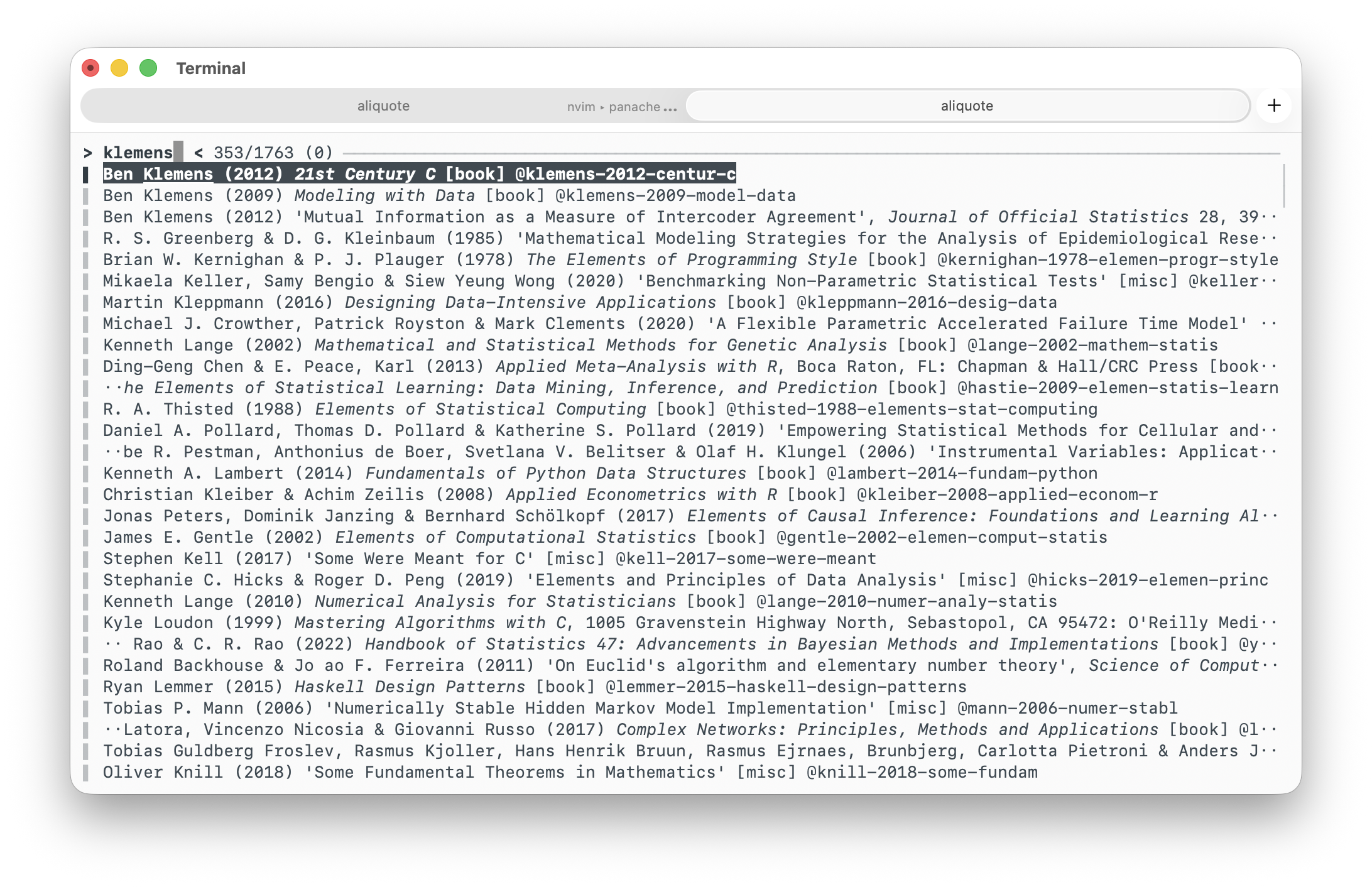
And, of course, in Neovim I have a handy shortcut (grb) to browse my
bibliography and other keymaps to insert ref keys from a Markdown or $\TeX$
buffer or open the associated PDF, all that with fzf-bibtex. In my main
BibTeX file, references.bib, I can also browse the associated PDF or EPUB file
using gf (inline, via lesspipe) or gF (using Preview.app):
setlocal path=.,~/Documents/papers
setlocal suffixesadd=.pdf,.epub

function! s:open_bibtex_key() abort
  let s:uri = split(split(expand('<cWORD>'), '{')[1], ',')[0]
  if s:uri !=# ''
    silent exec "!open ~/Documents/papers/'".s:uri."'.* &"
  else
    echo 'No match found.'
  endif
endfunction

command! Bibopen call s:open_bibtex_key()
" NOTE: gf is used to open resource with lesspipe
nnoremap <buffer><silent> gF :Bibopen<cr>
Now, what if I could do the same from within BibDesk? The main motivation is that I should I should be able to perform the exact same task from the command line and from a macOS app. This is already the case for, e.g., reading news (Newsboat vs. News Explorer), writing email (Neomutt vs. Mail.app), coding (Neovim vs. BBEdit), chatting on IRC (Senpai vs. bIRC3), and so on.
I would simply need to drag and drop the PDF file right there, or add an URI.
Bibliography manager all use a different field for managing linked resources,
e.g., file, url. In the case of BibDesk I seem to remember that it is local-url.
No sooner said than done, I quickly drafted a Vim regex that added a local-url
field to all my BibTeX entries (1763 in total). This could have been done with
BBEdit as well (no more fuzzing between escaping special symbols or dealing with
verymagic command in Vim, yeah), see below (right):
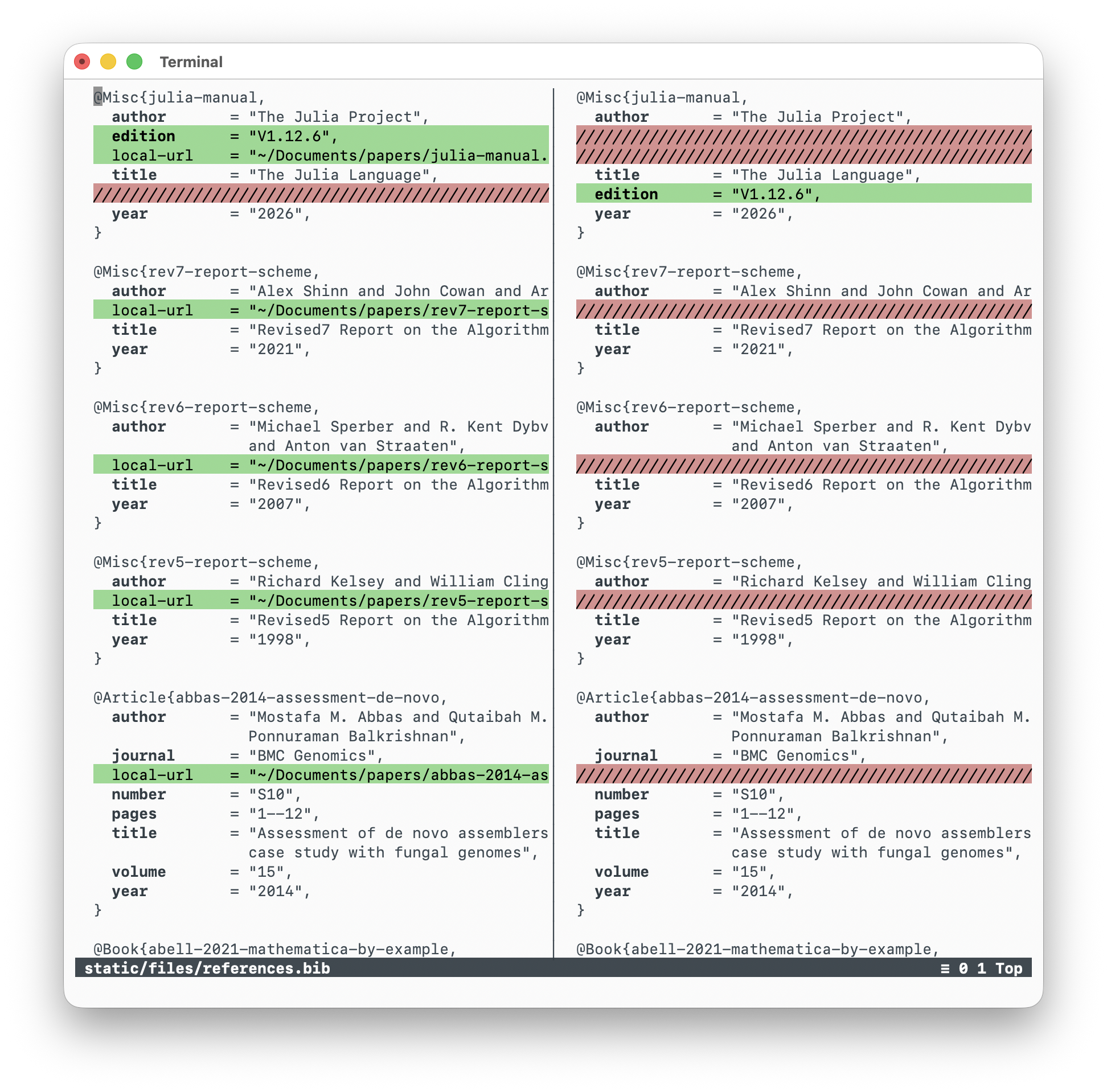
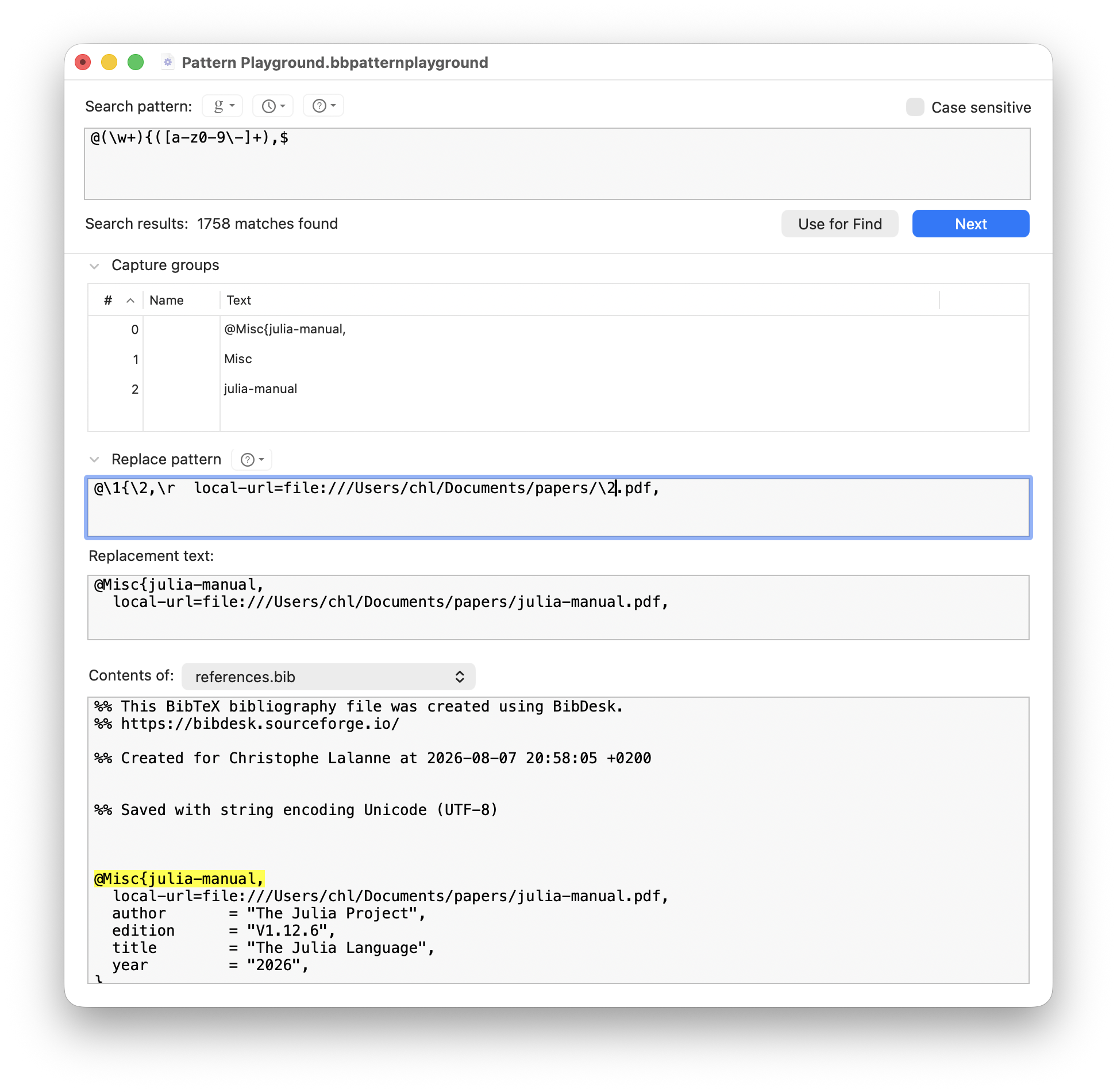
Anyway, this worked like a charm. I use the URI I’m used to use in Reminders and
Notes, but apparently absolute and relative paths work too (it can be defined in
the Preferences menu). I updated the local-url field with (thanks Vim
search/Replace again, %s/local-url=\(.*\),/local-url = "\1",/) to use
absolute path with baseline tilde, which looks much cleaner. Now I guess I just
have to add tags and fix missing address. I already added a shortcut for the
script that allows me to quickly add keywords to selected entries, so let’s
have some fun.
♪ Blue Sunshine • Ghost Twin
I should note that BibDesk (and LatexIt) is one of the few app that hasn’t seen much changes from an UX perspective since I started using a Mac. For a more historical discusion of how the Mac design evolved over time, refer to some of Marcin Wichary’s blog posts. ↩︎
I was forced to used Endnote – and I even bought a license for v7, when I wrote some papers using Apple pages. ↩︎
I’ve stopped using Textual in favor of bIRC at the time of this writing since Textual has been sunset and does not support playback history other than with ZNC bouncers. ↩︎