Using fzf-lua as a Git browser
As you may know, I tend to stick to a few tools that allow me to do 80% of my job quickly in Neovim. This means that I barely need more than 5 plugins, and most of them offer some bindings to fzf-lua.
~/.config/nvim ^Z
» tree -L 3 pack
pack
└── plugins
    ├── opt
    │   ├── neogen
    │   └── vim-table-mode
    └── start
        ├── fzf-lua
        ├── nvim-dap
        └── vimtex

10 directories, 0 files
Most of the times, I want to quickly review all the modifications I’ve done on a
subset of the project files. This can be achieved using FzfLua git_status and
showing preview (F4), whihc is disabled by default in my config. The diffs can
be shown in fullscreen mode (F2) when they are large. Using builtin shortcuts
(left and right arrows to stage and unstage) I can quickly prepare a Git commit.
When editing a file, I often want to track its most recent modifications
(soemthing like a time machine): in this case, I use FzfLua git_bcommits,
select a particular commit, then I use C-g which activate a side-by-side diff.
This is made possible using the following snippet:
require("fzf-lua").setup {
  -- -%<--
  git = {
    status = { preview_pager = false },
    commits = { preview_pager = false },
    bcommits = {
      preview_pager = false,
      actions = {
        ["ctrl-g"] = function(...)
          actions.git_buf_vsplit(...)
          vim.cmd "windo diffthis"
          local switch = vim.api.nvim_replace_termcodes("<C-w>h", true, false, true)
          vim.api.nvim_feedkeys(switch, "t", false)
        end,
      },
    },
  },
  -- -->%-
This basicaly looks like this:
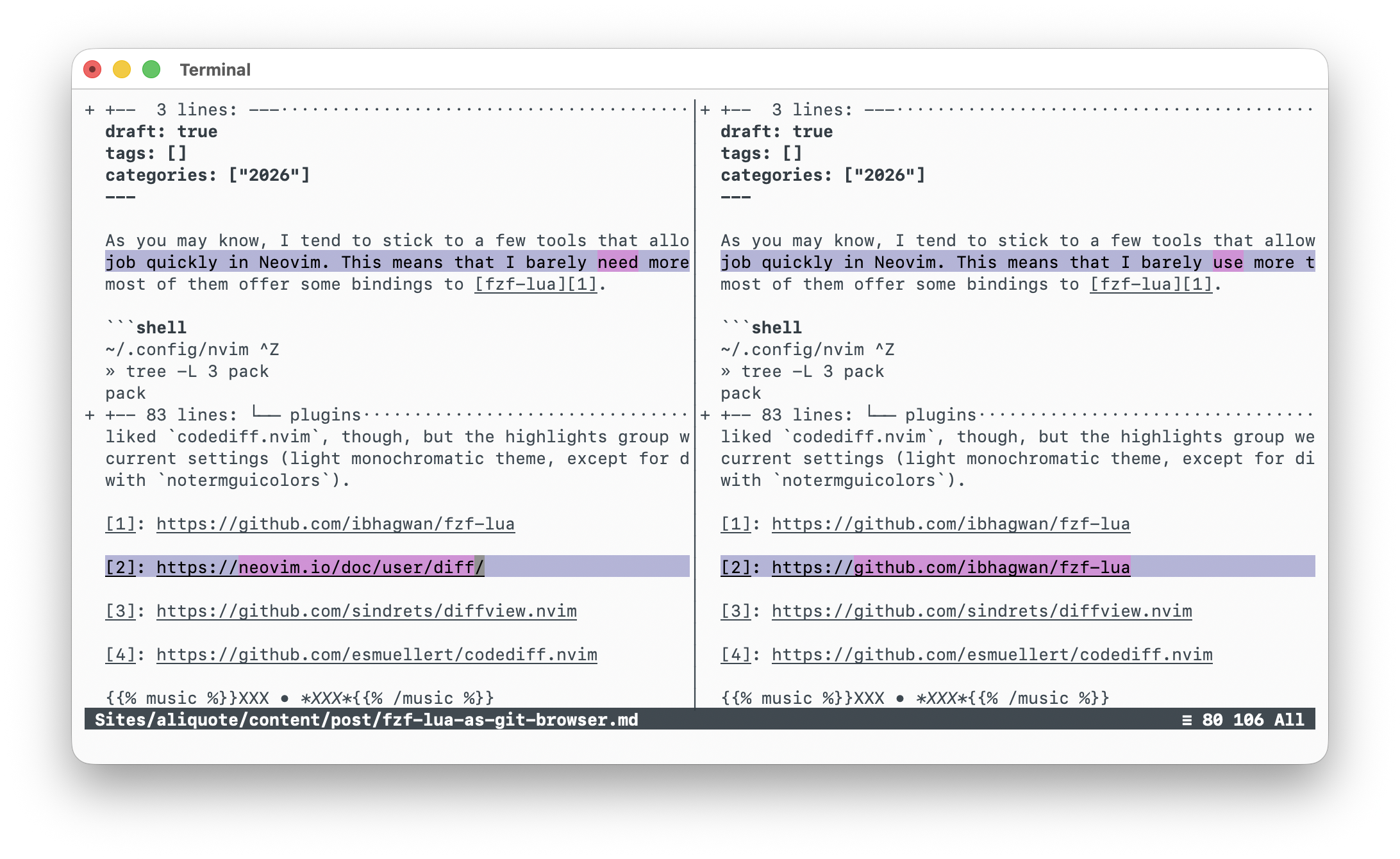
Alternatively, I can call git difftool -d master from the command line, and it
will open Neovim in diff mode with a two-way layout, with the quickfix list
populated with modified files. My git config file includes the following lines:
[difftool]
    prompt = false
[diff]
    tool = nvim_difftool
[difftool "nvim_difftool"]
    cmd = nvim -c \"packadd nvim.difftool\" -c \"DiffTool $LOCAL $REMOTE\"
Or I can use the following zsh function to quickly inspect all modified files using fzf:
function gdv() {
  preview="git diff $@ --color=always -- {-1}"
  git diff $@ --name-only | fzf -m --ansi --preview $preview
}
Take a careful look at the Neovim documentation for diff-related utilities
and you will also find a nice wrapper, DiffOrig, which helps showing diffs
between the current state of a buffer and its original content when it was first
opened. This is particularly useful when you are not tracking your files using
Git, or when you just started writing a new file from scratch without indexing
it first.
Of note, I’ve tried various plugins in the pasr. I should mention
diffview.nvim and codediff.nvim. The latter allows to toggle split vs.
unified diff view,1 while the former relies on Vim diff mode and can be used
to manage merge conflicts. Since my git difftool config provides the same
functionnality as the two-way diff mode provided by DiffviewOpen (using the qf
list instead of a tree view), that’s okay for a solo programer like me.
♪ Plastique Noir • Fugitive Dawn
I really liked
codediff.nvim, though, but the highlights group were messy with my current settings (light monochromatic theme, except for diff highlight groups, withnotermguicolors). ↩︎