MacOS 27
Here we are: macOS 27 (Golden Gate) is out. It’s been a long time since I last reviewed new releases of an OS I’ve been using for quite a long time now. I won’t repeat what other reviews already pointed out. Rounded corners of varying size are gone, as is the translucent sidebar that was added on all macOS default apps. What else? AI assistant is not available in Europe, at least till October. I don’t use AI and so I don’t really care. Today I noticed that a little contextual writing assistant popover menu appears when you select a good portion of text. It’s Siri AI in action, although it is disabled on my system. See it by yourself:
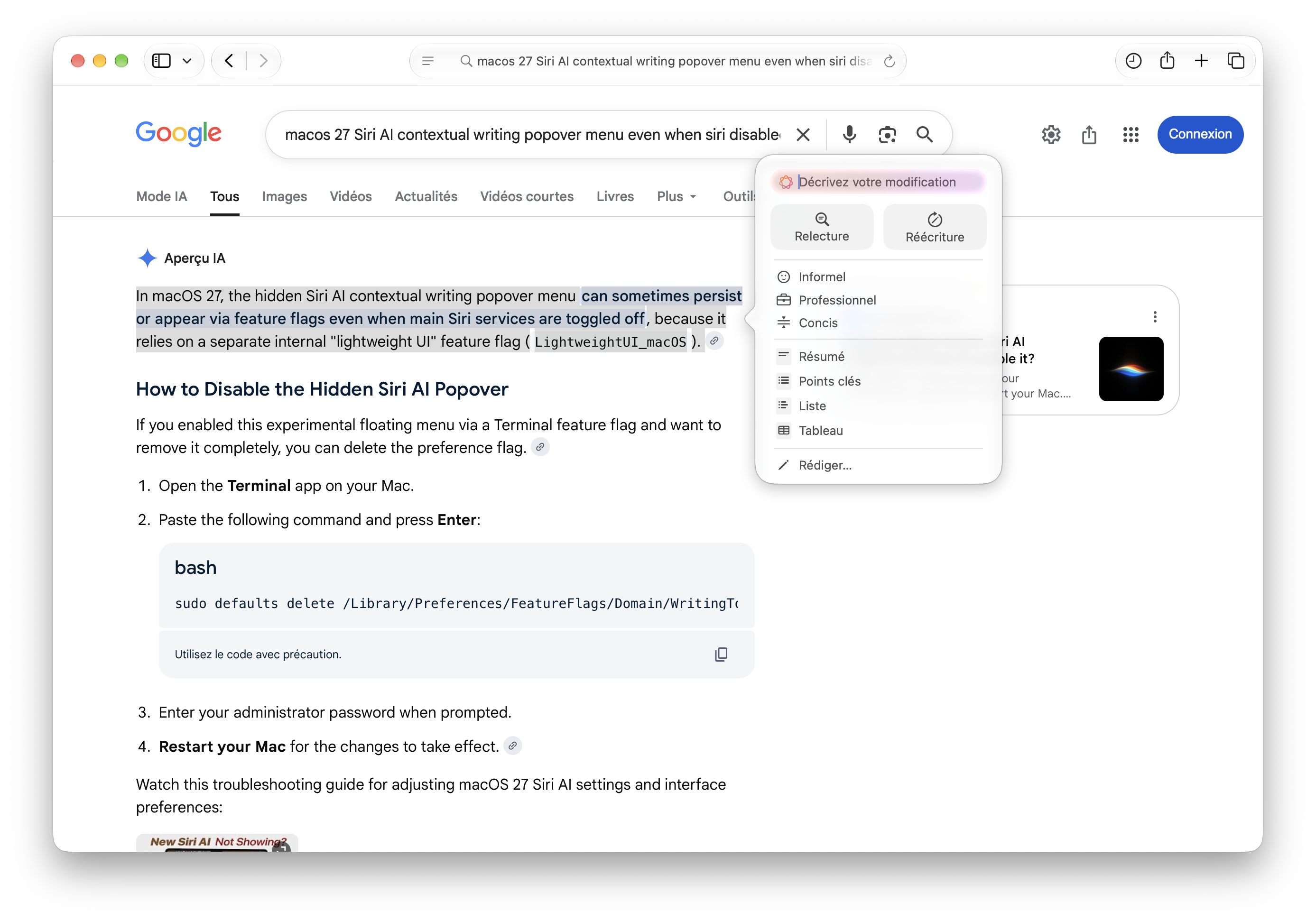
I never used Siri, I didn’t even tried the option offered today. Sure, I could ask Siri, or ChatGPT, or Claude to fix all the English typos you’ll find on this personal website but I won’t do that. Otherwise, it wouldn’t be my personal blog anymore. If you’re okay with that, that’s good.
Besides, it seems macOS 27 is less hungry in terms of memory even if Siri, which I am not using at all (and it is also supposed to be deactivated), is running in the background. It looks like this is a release similar to those we’ve seen in the past, where Apple is consolidating the existing stack rather than introducing new features to be beta tested world wild. For someone who had (by choice) stuck with Mojave, who, moreover, mainly uses the command line, and who switched back to macOS two years ago, I’m only contemplating how OS X became what is now called macOS. Good things from the past remain, though, and I don’t feel all that lost. Of course, I’m biased since I mostly live in a terminal but now I can use a GUI instead of TUIs for most of my daily drivers: newsboat/News Explorer, senpai/bIRC, neomutt/Apple Mail, tmux/Apple Terminal (why not?). I didn’t find any alternative to Neovim; BBEdit is so good, but I spent too much time with Emacs or Vim apparently, and I missed an interactive REPL and/or modal editing.
Incidentally, I drafted the following post last month but never got to its end.
I’m always looking for native macOS app rather than, say, electron-based applications. The only notable exception is probably Typora, which I used to use as a Markdown viewer for a long time now. Today I learned that someone coined them Mac-assed app instead. Why do they feel so good or why do I reach for them first? This is not about SwiftUI vs. AppKit (I do not really like SwiftUI), or the infamous rounded corners that got an upgrade in recent versions of macOS – which I only notice when running Safari, Mail, Photos or Music on my desktop.
Together with those pesky icons added to every single menu I believe these are the most dominant complaints about Tahoe I’ve seen in recents months
Of course I’m biased since I have been working on MacBooks for over twenty years. I barely know how to use a Windows machine (and I don’t care, TBH), and I don’t really think this year will be the one for Linux on the Desktop once again. There’s something unique to macOS (and MacBook as well), but it has already been discussed elsewhere.
Services, Quick Actions available through Automator are builtin stuff. Now it’s
time for Shortcuts, with a native command-line interface (try shortcuts help
in your terminal). Even if AppleScript may seem like a thing of the past, it is
handy to be able to write scripts that talk to graphical applications, and I
found myself writing or adapting existing scripts.
And what about those nifty tips & tricks that I mentioned in the past? Or maybe those cool drag and drop actions? All those shortcuts, perhaps?
Texshop has no equivalent when it comes to talk $\TeX$, whether it be plain $\TeX$, $\LaTeX$ or CONTEXT. Apple Notes is probably one of the best note taking app, at least it remains the cheapest among the top apps, and Reminders does quite a good job actually. Its transparent interface with Agenda makes it a perfect fit on the OS as a whole.
♪ Ductape • Figures