Macvim setup
I finished setting up MacVim for real.
The default statusline for MacVim is the realm of Zen, but I decided to go with no statusline at all:
set noshowmode
set noruler
set noshowcmd
au BufRead,BufNewFile * set laststatus=0
I can style show line numbers if desired, or simply type g<C-g>.
Even if I mostly use gt and gT to navigate tabs, I also changed the default
shortcuts for previous and next tab using macOS shortcuts for Applications.1
I got all the VimL stuff I need from my Neovim setup, that is the
after/{ftplugin,syntax}, compiler, ftdetect, and plugin directories.
This was a good opportunity to discard unused stuff and remove extraneous
settings for PLs I no longer use. I still have just over fifty VimL files:
~/.config/vim
» tokei -e plugin/lsp.vim -e pack
━━━━━━━━━━━━━━━━━━━━━━━━━━━━━━━━━━━━━━━━━━━━━━━━━━━━━━━━━━━━━━━━━━━━━━━━━━━━━━━━━
 Language              Files        Lines         Code     Comments       Blanks
━━━━━━━━━━━━━━━━━━━━━━━━━━━━━━━━━━━━━━━━━━━━━━━━━━━━━━━━━━━━━━━━━━━━━━━━━━━━━━━━━
 Plain Text                1          102            0           84           18
 Vim Script               64         6817         6595           72          150
━━━━━━━━━━━━━━━━━━━━━━━━━━━━━━━━━━━━━━━━━━━━━━━━━━━━━━━━━━━━━━━━━━━━━━━━━━━━━━━━━
 Total                    65         6919         6595          156          168
━━━━━━━━━━━━━━━━━━━━━━━━━━━━━━━━━━━━━━━━━━━━━━━━━━━━━━━━━━━━━━━━━━━━━━━━━━━━━━━━━
I only use one plugin, vim-lsp. It works pretty well, by the way. I put
everything related to this plugin in a dedicated file (plugin/lsp.vim), and
this basically includes global settings for the plugin, highlights, and
autocommands to manage keybindings and filetype-specific LSPs.
I have two config files: the vimrc file contains the most essential stuff,
that should work without any other auxiliary files, and thus can be imported
onto any remote machines which has Vim 8 or 9; the gvimrc file is kept
separate for two reasons. First, I don’t need to test if GUI is running inside
vimrc to add custom settings for the case I’m running MacVim instead of Vim in
a terminal, which means my vimrc remains small and easily manageable. Second,
I include some custom highlights that are specific to MacVim, as well as a bunch
of commands that I would likely only need when running the desktop app on macOS.
In addition, I can list all VimL functions that start with an uppercase letter,
as is recommended, and add them to a custom menu. Other local functions are
prefixed with the standard s: private modifier. In case I don’t want to add a
menu entry for a custom function, I can still prefix it with s: and use VimL
alchemy, aka <SID>foo(), to link it to a custom keybindings. Together with the
LSP menu provided by vim-lsp or the netrw menu, I find this quite convenient at
times.
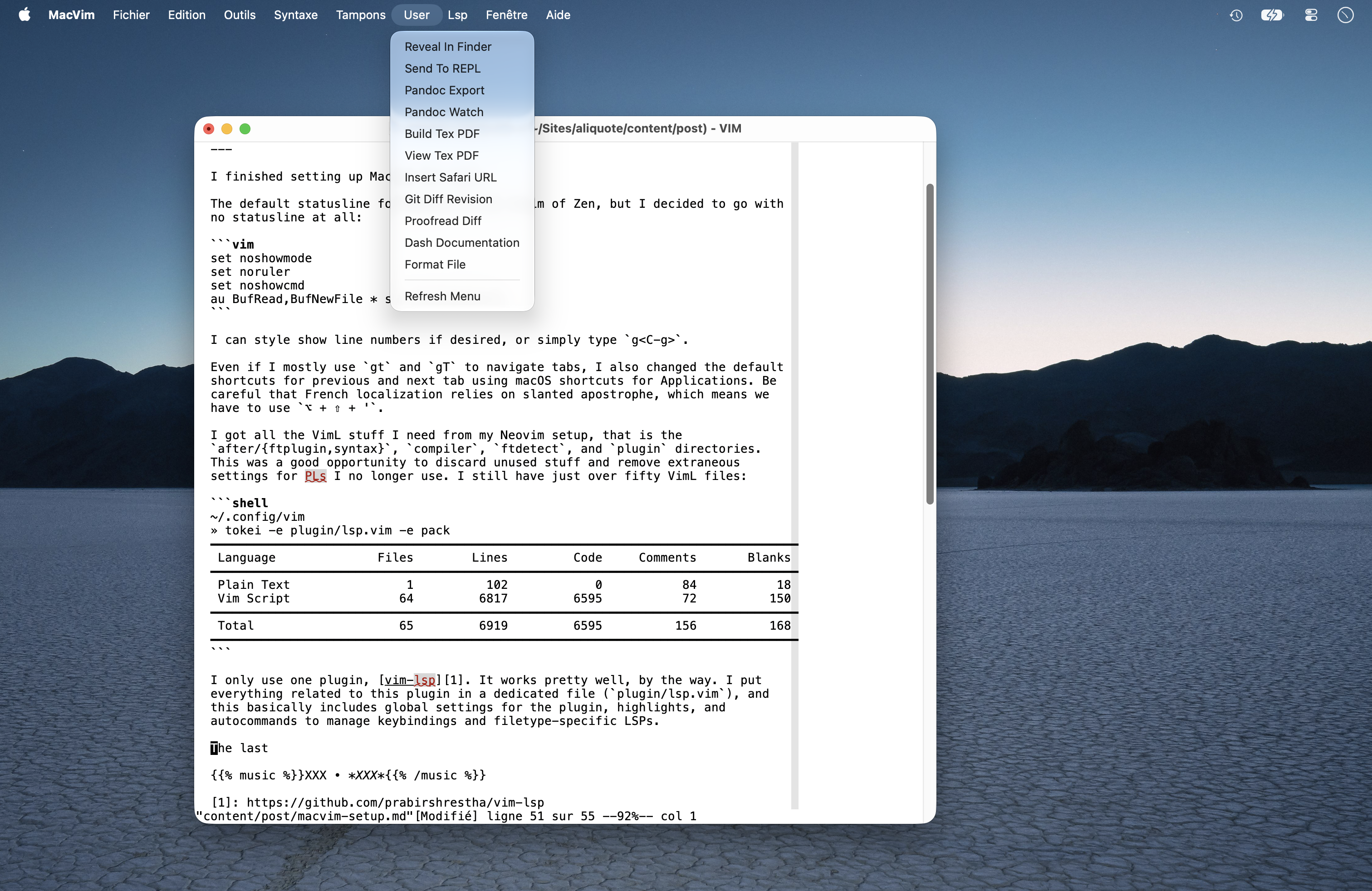
Lastly, I added a “send to REPL” omnibus function, which acts differently
depending on the filetype: if I’m editing a Wolfram (mma) or Stata buffer, this
command send the current line or the visual selection (bound to ⌘-R) to the
running GUI, otherwise in case I’m working with R, Python, or Lisp files the
selection goes right into the Terminal app, launching the REPL if it is not
already running inside.
I also have a working “compare to previous diff revision”, which opens the diff
in two vertically split panes. I did the same with the Writing Tools proofread
utility, and it works more or less as expected, although YAML header and various
Markdown markup tags (like > for quotation blocks or back ticks for code
block) seem to cause some issues. Hopefully, this will be fixed in the next
revision of this function or its companion macOS shortcut (because we can’t call
Writing Tools from AppleScript).
♪ Kid Loco • The Boat Song
Be careful that French localization relies on slanted apostrophe, which means we have to use
⌥+⇧+'. ↩︎